Explorar las categorías
Explora
Fiverr Pro
Español
$
USD



Traducción automática
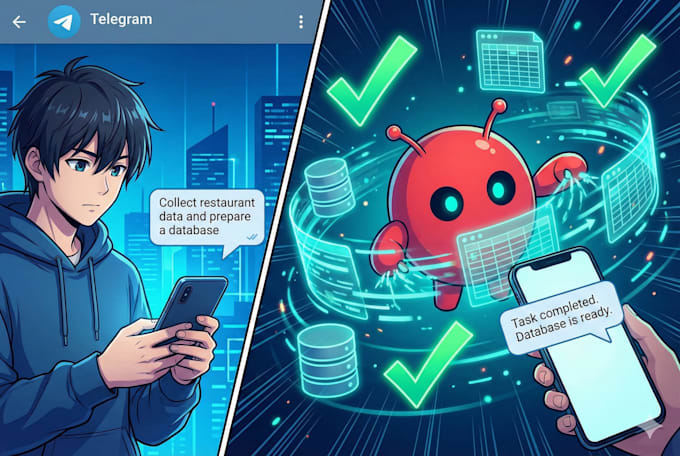
Voy a instalar, configurar y desplegar OpenClaw Bot, un asistente de IA autoalojado que se conecta a plataformas como Telegram, WhatsApp, Discord y más en tu servidor.
Instalación en PC, Mac o servidor (Node + OpenClaw Bot)
Configuración del canal de mensajería
Resolución de problemas y pruebas
Solo proporciona acceso remoto a tu PC o servidor y las credenciales de la plataforma de mensajería.
Project Manager Web3 Product Builder
Idiomas
Traducción automática
Traducción automática
¿Qué sistema operativo soportas?
✔ Soporto la instalación en cualquier sistema operativo principal donde Node.js 22+ pueda ejecutarse, incluyendo Linux, macOS y Windows (a través de WSL2). MoltBot está escrito en Node y puede ejecutarse en servidores o máquinas locales siempre que Node ≥22 esté instalado y haya acceso SSH para la configuración.
¿Ofrecen soporte continuo después de la instalación?
Sí — el soporte post-instalación está incluido según el paquete que elijas: 📌 Estándar / Premium: Ofrezco soporte básico de resolución de problemas y configuración después de la entrega (por ejemplo, problemas de emparejamiento, reinicio de configuración) — generalmente hasta 7 días en Premium.
¿Instalas modelos de IA junto con MoltBot?
✔ Instalo y configuro el entorno y tiempo de ejecución de MoltBot, que incluye conectarlo con un proveedor de modelos (por ejemplo, claves API de OpenAI o Anthropic) para que funcione correctamente. Esto suele ser parte del proceso de incorporación y asistente de configuración.
¿Qué necesito proporcionar antes de comenzar?
Antes de la instalación necesitaré: ✔ Acceso a PC, servidor o VPS (credenciales SSH) ✔ Entorno Node.js con permisos necesarios ✔ Tus claves API del modelo (OpenAI/Anthropic, etc.) ✔ Credenciales de la plataforma de mensajería si deseas integración de canal (WhatsApp, Telegram, Discord, etc.)
¿El bot funcionará continuamente?
Sí — como parte de la configuración, configuro OpenClaw Bot para que funcione como un demonio/servicio (usando pm2, systemd o equivalente) para que se reinicie automáticamente y permanezca en ejecución incluso después de reinicios, en el paquete Listo para producción + optimización.
¿Puedes conectar MoltBot a WhatsApp / Telegram / Discord?
Por supuesto — dependiendo del paquete, puedo conectar MoltBot a una o varias plataformas de mensajería para que puedas interactuar con el bot desde esas aplicaciones. Los canales soportados incluyen WhatsApp, Telegram, Discord, Signal, Slack, iMessage y más.
¿Qué pasa si mi servidor aún no está configurado?
¡No hay problema! Puedo ayudarte a preparar el entorno de tu servidor (instalación de Node, dependencias, configuración del demonio) como servicio adicional.
| (1) | ||
| (0) | ||
| (0) | ||
| (0) | ||
| (0) |
gcwebinc

Canadá
A Plus! Did what was asked quickly, great work.
Hasta USD50
$
4 días
Tiempo

Respuesta del Freelancer
| (1) | ||
| (0) | ||
| (0) | ||
| (0) | ||
| (0) |
gcwebinc
Canadá
A Plus! Did what was asked quickly, great work.
Hasta USD50
$
4 días
Tiempo
Respuesta del Freelancer