Explorar las categorías
Español
$
USD
Conéctate con tu IA
OBS Studio and Live Streaming Specialist
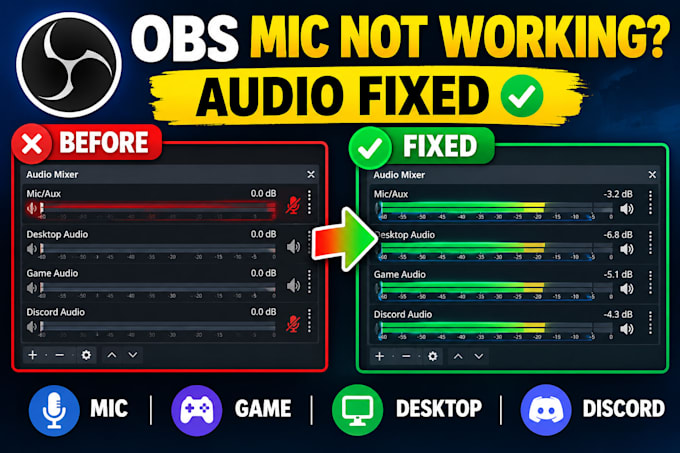
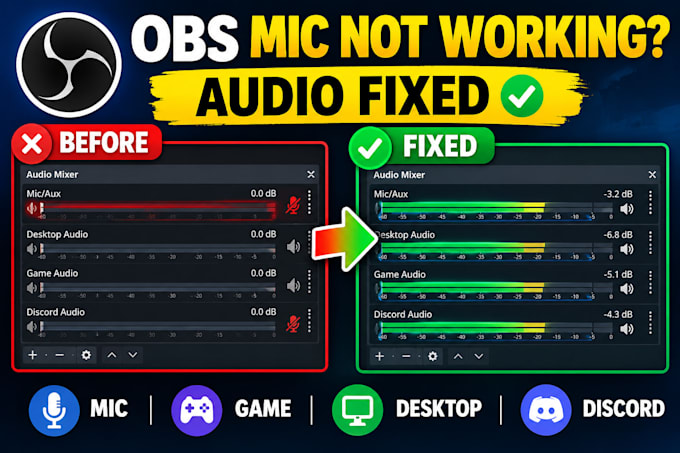
FIX YOUR OBS MICROPHONE & AUDIO PROBLEMS
Is your OBS microphone not working, mic not detected, game audio missing, desktop audio not capturing, or Discord audio not coming through? Are you dealing with echo, audio delay, crackling, distorted sound, low microphone volume, or audio sync problems? Ill troubleshoot your OBS Studio audio and fix the actual cause.
WHAT I WILL FIX:
Ill check your OBS Audio Mixer, input/output devices, Windows audio settings, monitoring, routing, filters, and audio sources to identify the problem instead of randomly changing settings.
WHY CHOOSE ME?
Send me your OBS audio problem and Ill help you get your microphone, game, desktop, and stream audio working properly.
Software:
OBS Studio
Plataforma:
•
Twitch
•
YouTube
•
GosuGamers
•
Bigo Live
•
Kick
•
Otros
Propósito:
Videojuegos
•
Música
•
Estilo de vida
•
Negocios
•
Noticias
Can you fix OBS microphone and audio problems?
Yes. I can fix common OBS microphone and audio problems, including mic not detected, low microphone volume, distorted or crackling sound, missing game audio, missing desktop audio, and incorrect OBS audio settings.
Can you fix my OBS mic if it is not working?
Yes. I can troubleshoot an OBS microphone not working or mic not detected issue by checking your microphone device, Windows input settings, OBS Audio Mixer, audio sources, filters, monitoring, and other related settings.
Can you fix game and desktop audio not working in OBS?
Yes. I can fix OBS game audio and desktop audio problems, including missing game sound, desktop audio not being captured, incorrect output devices, and audio sources that are not responding correctly.
Can you fix Discord audio not coming through OBS?
Yes. I can troubleshoot Discord audio in OBS, including Discord sound not being captured, incorrect audio devices, routing problems, monitoring issues, and conflicts between your microphone, desktop audio, and other sources.
Can you fix echo, delay, crackling, or distorted audio in OBS?
Yes. I can troubleshoot common OBS audio issues such as echo, audio delay, crackling, distorted sound, double audio, feedback, and other audio problems affecting your stream or recording.
Can you fix OBS audio routing and monitoring problems?
Yes. I can troubleshoot OBS audio routing and monitoring, including incorrect monitoring settings, wrong input/output devices, duplicated audio sources, and audio being sent to the wrong device.
Do you fix OBS audio filters and mixer settings?
Yes. I can configure and troubleshoot OBS audio filters and Audio Mixer settings, including microphone levels, noise suppression, compressor, limiter, noise gate, gain, and monitoring.
Can you fix OBS audio problems remotely?
Yes. If your issue requires access to your computer, I can guide you through the troubleshooting process using a suitable remote-support method. You will remain in control of your computer throughout the session.
Do you fix audio problems for Twitch, YouTube, Kick, or TikTok Live?
Yes. I can troubleshoot OBS audio problems affecting streams on platforms such as Twitch, YouTube, Kick, and TikTok Live, provided OBS is the source of the audio issue.